Open a Zensical project
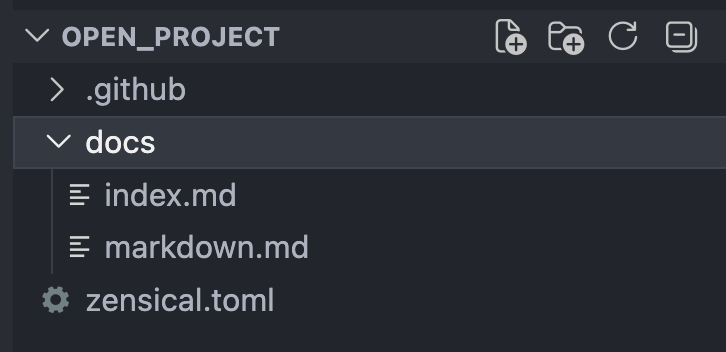
To open a Zensical project, simply open its root folder in your editor. The
root folder is the one that contains the configuration file (zensical.toml
or mkdocs.yml).
This is often the Git repository that contains the documentation source, site
configuration, assets, and other files. In repositories that combine code and
documentation, the project root may be a subdirectory like docs.
When you open the project root folder, Zensical Studio will read your configuration and begin validating the Markdown files. When you open any of them, it provides syntax highlighting, navigaton, and completions as well as flagging any problems.
Start a new project
If you do not have a Zensical project set up, you can create a new one following instructions in the Zensical documentation. First you need to install Zensical if you have not done so yet. Then, follow the create your site instructions to set up a new project.
You can open the repository folder from the editor itself:
Choose File → Open Folder... and select the repository root.
Choose File → Open Folder... and select the repository root.
Choose File → Open Folder... Ctrl+OmacOSCmd+OWindowsCtrl+OLinuxCtrl+O, then select the repository root.
If you start from the terminal, pass the repository folder as the command-line argument:
Use code /path/to/repository.
Use cursor /path/to/repository.
Use zed /path/to/repository.