Preview documentation variants
The Directives extension lets you publish multiple documentation variants from one Markdown source.
Zensical Studio helps you work with that model while you write: it highlights directives and branches, lets you jump into included files, and previews each variant so you can verify what readers actually see, as the video below shows (click to enlarge).

Note how the link to the deployment page works from within the authentication page even though it is defined in an included file. Zensical Studio (and the Directives extension) rewrites the paths in included content so that the link resolves correctly in the context where it appears.
Available in Zensical Spark
This Directives extension is currently available as a preview in Zensical Spark. However, you can use Zensical Studio to explore the functionality through Markdown page previews right now.
Start with our example project deployment-guide.zip, which already includes directives, so you can follow this workflow directly after unpacking the project.
Rapid preview of page variants
Open authentication.md from deployment-guide.zip and open the
Markdown preview. It shows you the currently selected variant of the file.
Toggle the variant selector as in the video above. Note how the content
changes based on how the conditional directives evaluate for each selected
variant. Included content is rendered just as it will be in a build with
the Directives extension when you build the site.
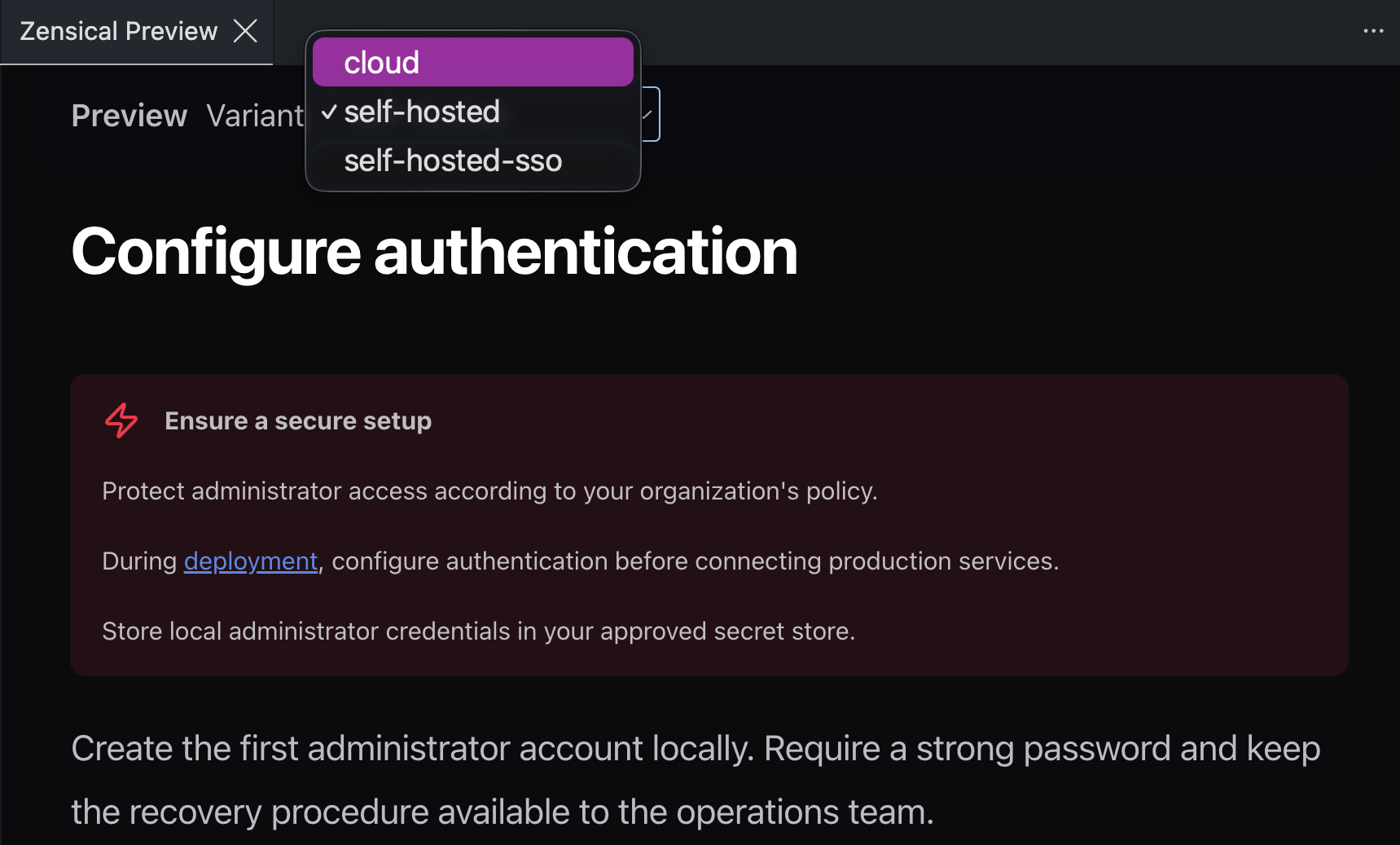
Before editing a page, it is essential to understand how its content is assembled from different source files and how it changes depending on the variant. Zensical Studio's variant selector enables you to preview the content and understand what the page will look like in a build.
Include content
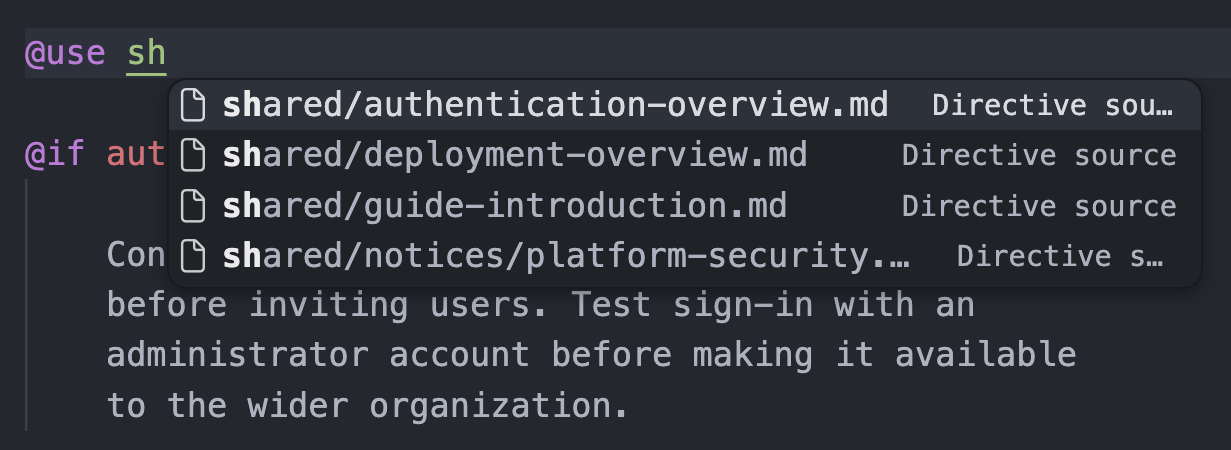
The @use directive lets you include content from the content_dir. When
you have typed the directive, simply press Ctrl+Space
to get a list of suggestions.
Just as you can follow links, you can open an included file by holding
Cmd/Ctrl and clicking on the path in an @use directive.
Links resolve accurately
Both the Directives extension and Zensical Studio resolve links in included
files. Here is the link definition for the deployment page in
authentication-overview.md:
[deployment]: ../../docs/deployment.md
The link is defined as the relative path from authentication-overview.md to
deployment.md. This ensures that the relationship can be navigated both in
the filesystem and on a system like GitHub.
When authentication-overview.md is included in authentication.md, the link
is resolved to just deployment.md. When it is included in
operations/readiness.md, the link is resolved to ../deployment.md.
The link resolution is one of the key advantages the Directives approach has over simple file inclusion such as the Snippets extension, which does not resolve links. The Snippets extension is still useful for other content that needs to be reused, such as source code inside a code block.
With Zensical Studio, you can click on the rendered link in Markdown preview
and open deployment.md in the editor.
Where to go next
- Reuse content for snippet-based reuse patterns that complement directives
- Live preview