Try Studio for free
Create a free Hub account in a few minutes to try Studio Pro for 14 days or request a Studio Team evaluation. No credit card required.
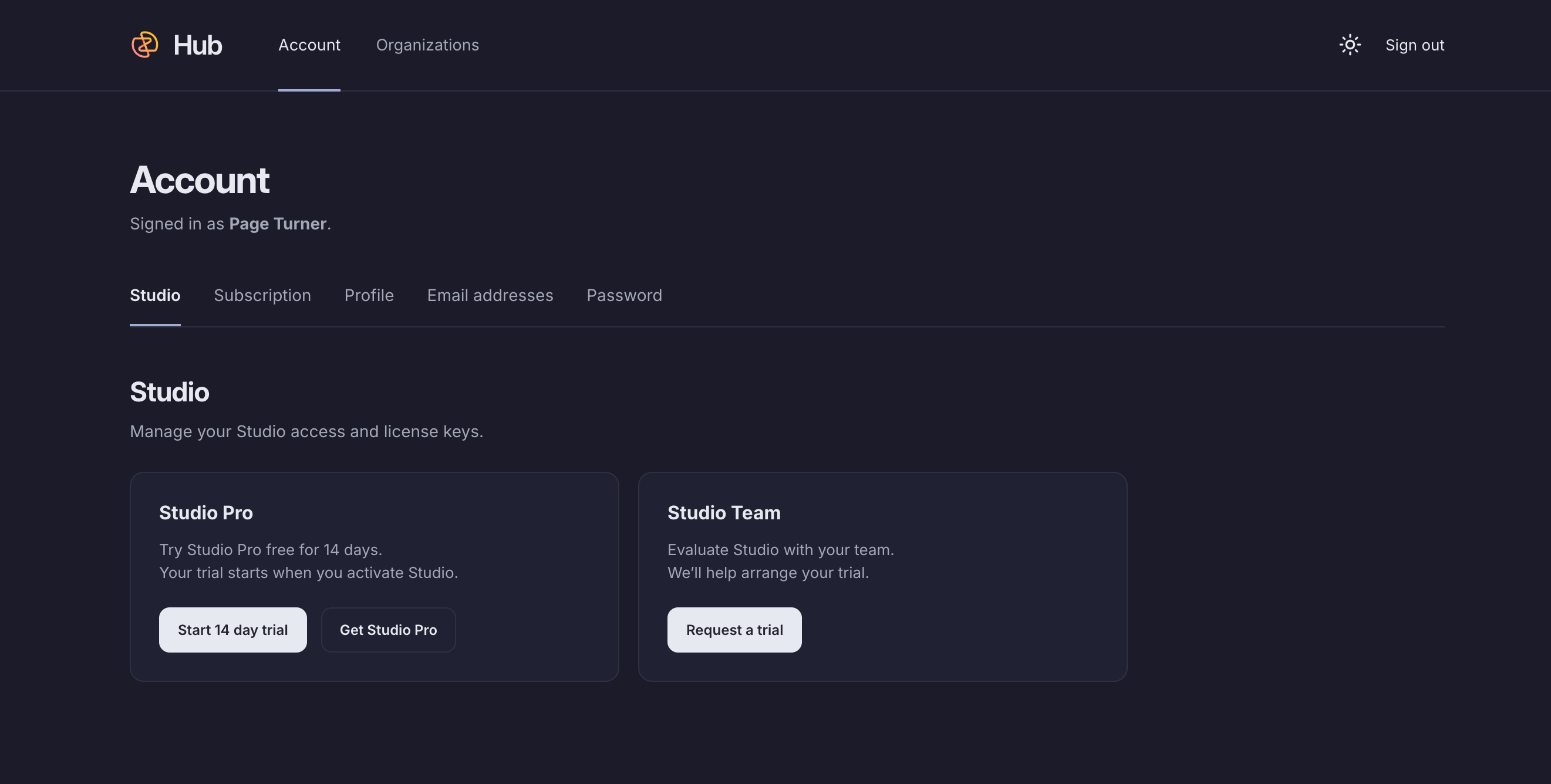
Studio Pro
- Create an account or sign in to Zensical Hub. Under Studio Pro, choose Start 14 day trial.
- Accept the Studio EULA and copy your license key.
- Install Studio for VS Code, open the Command Palette, and run Zensical Studio: Enter License Key. Paste your key to activate Studio Pro.
Your 14-day trial starts when you first activate Studio, so you can prepare your account before you are ready to evaluate it.
Studio Team
Team trials are reviewed by our team. We agree on the dates and number of seats with you before the evaluation begins.
- Create an account or sign in to Zensical Hub using a verified email on your company's domain. Personal addresses such as Gmail or Outlook aren't eligible for a Team trial.
- Under Studio Team, choose Request a trial. Hub guides you through creating or selecting your organization.
- Tell us how many people will evaluate Studio, when you would like to start, and any requirements you would like to discuss.
We'll email your work address within 2 business days to discuss your request and confirm the trial's dates and seats.
Once approved, assign seats to your team in Hub. Each member signs in, accepts the Studio EULA, and copies their license key. In VS Code, they run Zensical Studio: Enter License Key and paste the key to activate Studio. Everyone shares the agreed evaluation period.
After your trial
Without a paid subscription, Studio returns to Free when your trial ends. Trials do not automatically become paid subscriptions. You can purchase Studio Pro or Team in Hub at any time to continue using the paid features.